

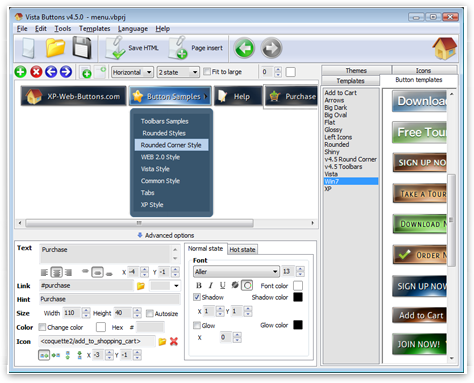

Ready to use button templates and submenus themes.
In the Themes toolbox you can choose selected buttons and submenu themes for web appearance.
Web Buttons Made EasyFonts, Borders and Background Colors
Use any necessary font of any color, size and font decoration for normal and mouseover state. Create any available type, thickness and color of a menu's frame. Choose any color for backgrounds of submenus and items.
Hover Buttons And HTMLCross Browser Menu
Full cross-browser compatibility including IE, Netscape, Mozilla, Opera, Firefox, Konqueror and Safari
XP Style Web IconsPadding and Spacing
Specify various values for padding and spacing for the whole menu and for each separate submenu.
Download Animation Button For Web
Menu Template:
HTML Menu Bar


 |  |  |  |  |
Javascript Submenu Samples
This menu is generated by Javascript Menu Builder.
Create your own menu now!

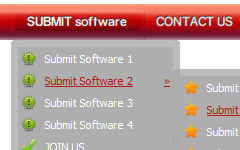
Javascript Submenu Samples Screenshots
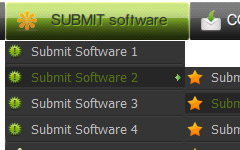
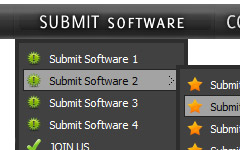
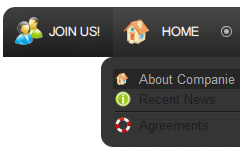
Menu, Button, and Icon Collection
Javascript Menu Builder provides huge collection of 1400 web buttons, 6600 icons, 300 ready-made samples, so you'll create really nice looking menus and buttons with little or nodesign skills at all! Web 2.0, Mac, iPhone, Aqua buttons, Vista, XP, transparent, round, glossy, metallic, 3d, tab menus, drop down menus will be a breeze!Button and Icon Samples

How to Use Javascript Menu Builder Menu Generator
Web buttons and icons properties
This toolbox is for adjusting submenus properties. When you change submenu properties all submenus in the menu will be changed.
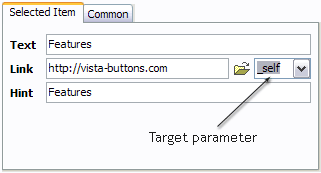
Text - type the submenu's item text here.
Link - the link that is to be opened when user clicks the item. For example: http://www.vista-buttons.com. You can also click "Open" icon to the left of the "Link" field to select the page you want to link to.
Link target attribute - link behavior adjustment. Link target attribute tells web-browser where to open the linked page. This attribute represents the Target attribute of the link (<a> tag in HTML). You can either enter your target value in the field or choose from the predefined attribute values in the list.
If you enter your own value, it must be a window or a frame name. Note, that names are case-sensitive. The linked document will then be opened in that window/frame.
Predefined attribute values:
- _blank - Browser creates a new window for the linked page.
- _parent - Linked page replaces the current frame's framesetting page (if one exists; otherwise, it acts like _self).
- _self - Linked page replaces the current page in its window or frame.
- _top - Linked page is to occupy the entire browser window, replacing any and all framesets that may be loaded (acts like _self if there are no framesets defined in the window)
If you leave the field clean then the linked page will be opened in the same browser window.
Hint - specifies the tooltip that is shown when you hold the mouse over the item for a few seconds.
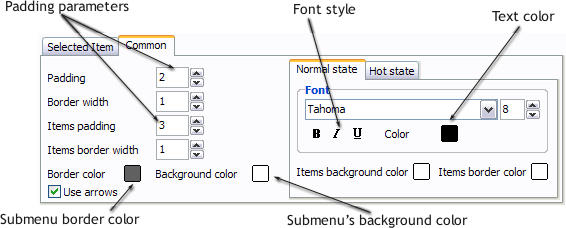
Padding parameters - If you want to specify padding around the whole submenu you should set Padding parameter. If you want to specify padding around submenu items you should set Items padding parameter.
Border width - Set Border width parameter if you want to specify border around the whole submenu. If you want to specify border width around each submenu's item you should set Items border width parameter.
Border color - set border color around the whole submenu.
Background color - set background for the whole submenu.- Sub menus dropdown over all the objects on the page (select, flash, object, embed). Design personal styles for any submenu and item. Use images for icons, backgrounds of items. Using images you can create menus entirely based on graphics.
Support
Please contact Customer Support at (please include template name in the message title)
FAQ
- ".. However now I'm just wanting to edit the webpage menu itself."
- "..How can I set up Vista Buttons dreamweaver extension?" HTML Button For Website
- ".. I'm wondering if there is a possibility to create my own Icon Themes for the Web Design Buttons to extend the already built-in with my own icon-sets?"
- "..The submenu of a menu buttons do not appear in front of a flash movie, it is allways under it. "
- "..Can I set the pressed state of a javascript Vista Buttons after the page loads?"
- "..Please provide step by step instructions on how to create and add a button for a buttons websites menu."
Javascript Submenu Samples Popular Templates
Javascript Submenu Samples Recommended by:

Javascript Submenu Samples Awards





Javascript Submenu Samples Template of Day
